polski
 español

 Monika Borowiec
New - Kicker!
A new text field is now available in the admin panel while:
- Adding or editing an article
- Adding or editing a poll
- Adding or editing a photo gallery
This field allows you to enter content that will be displayed directly above the main title.
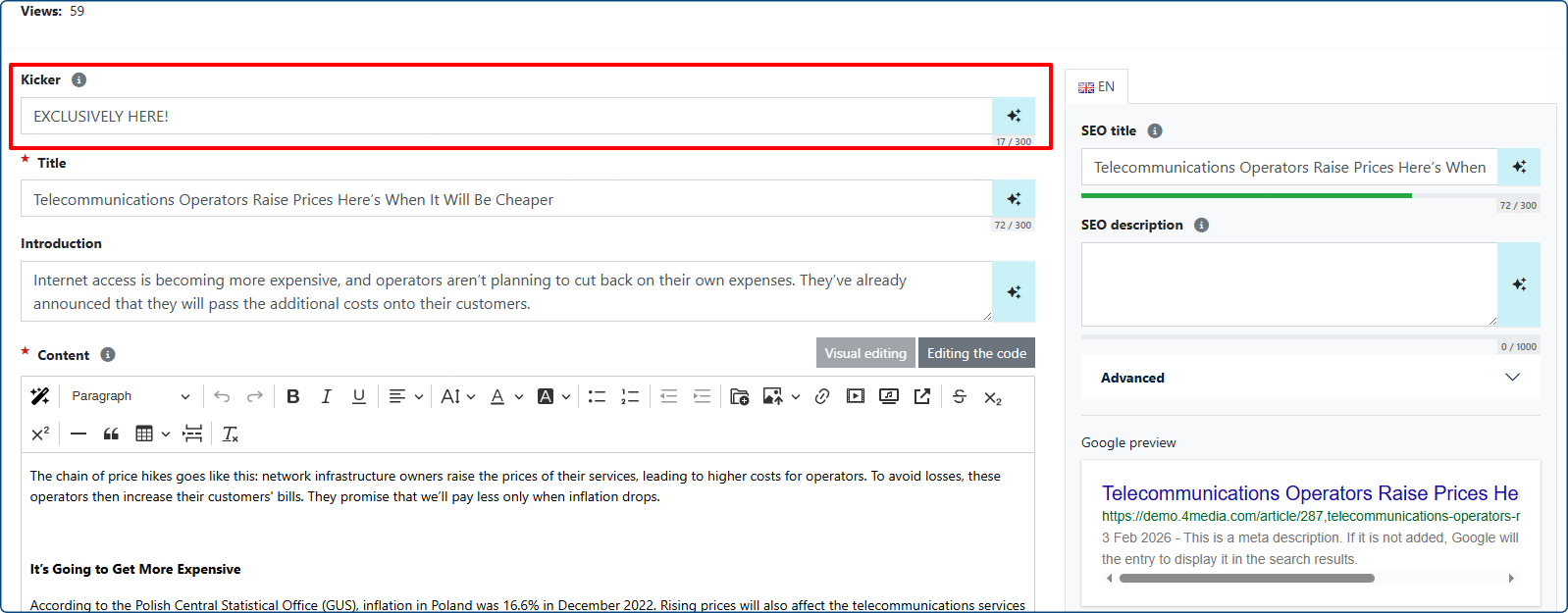
New field in the article add/edit view

Example of how the kicker appears in an article.
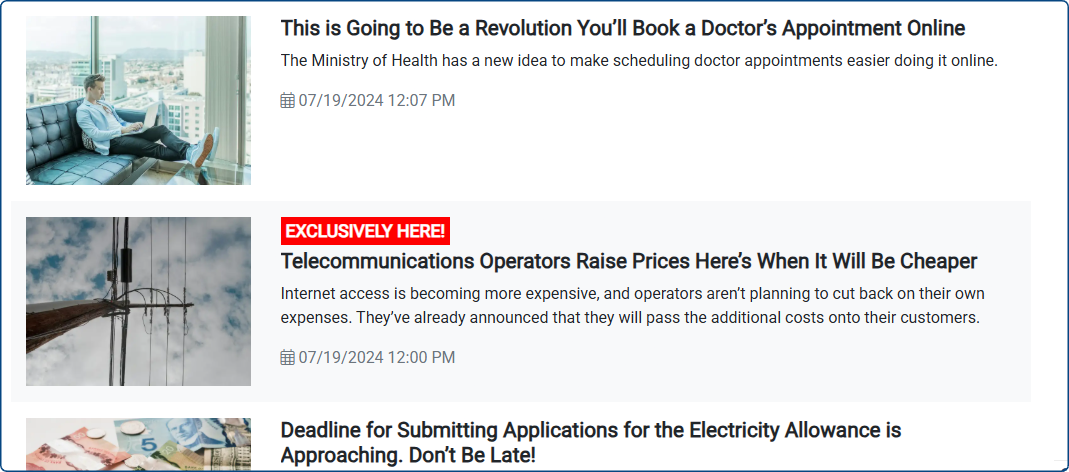
Example of the kicker on the article list
How to Enable Kicker Display in a Thematic Widget
In Page Builder > Templates, a new option “Show Kickers” has been added when editing article widgets. This setting lets you choose whether or not to display kickers in the widgets.
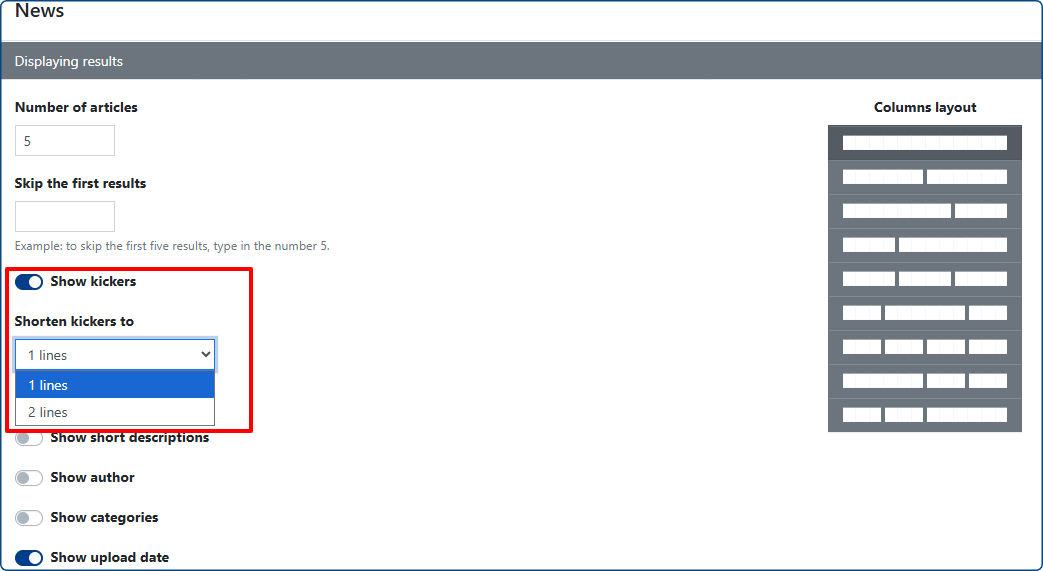
Customizing the Visual Style of the Kicker
To adjust the kicker’s color scheme globally across all widgets, go to the Template Design tab in the Page Builder module.
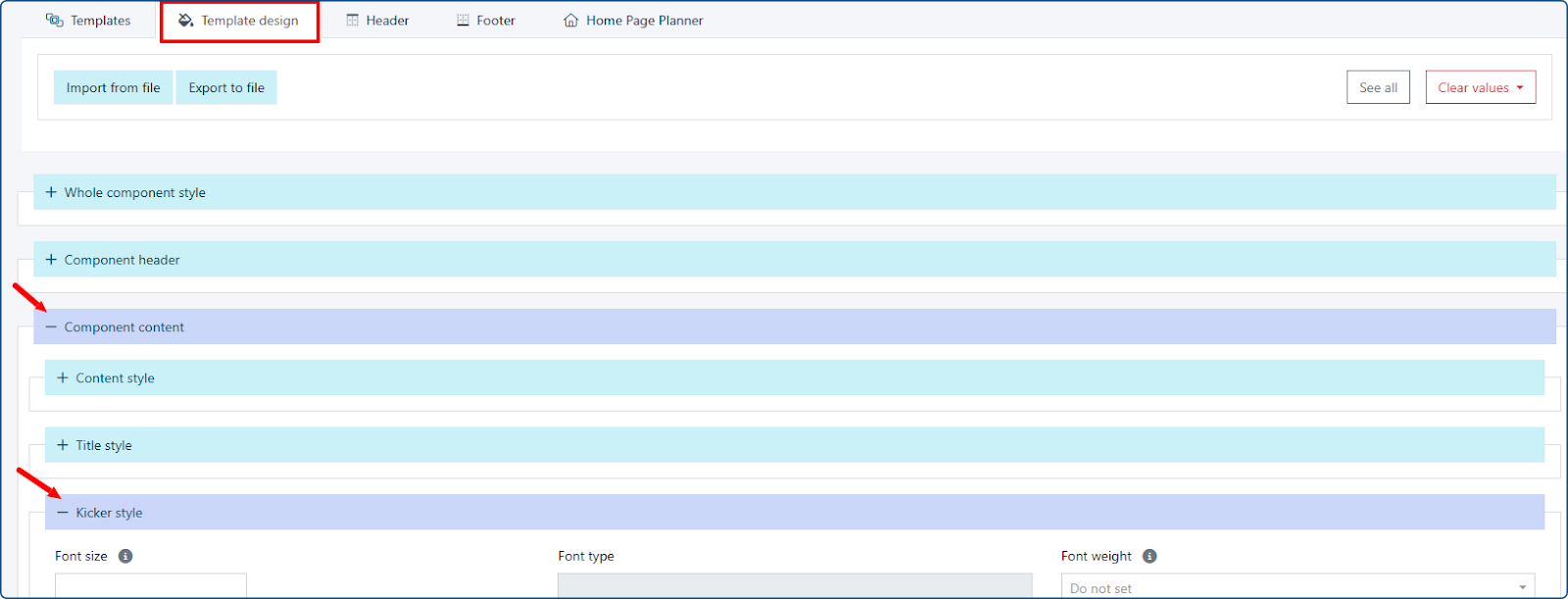
If you want to change the appearance of the kicker for a specific widget, follow these steps:
- Go to Page Builder > Templates > select your template
- Hover over the widget you want to edit and click the Edit button
- Choose Widget Desing > Component Content > Kicker Style
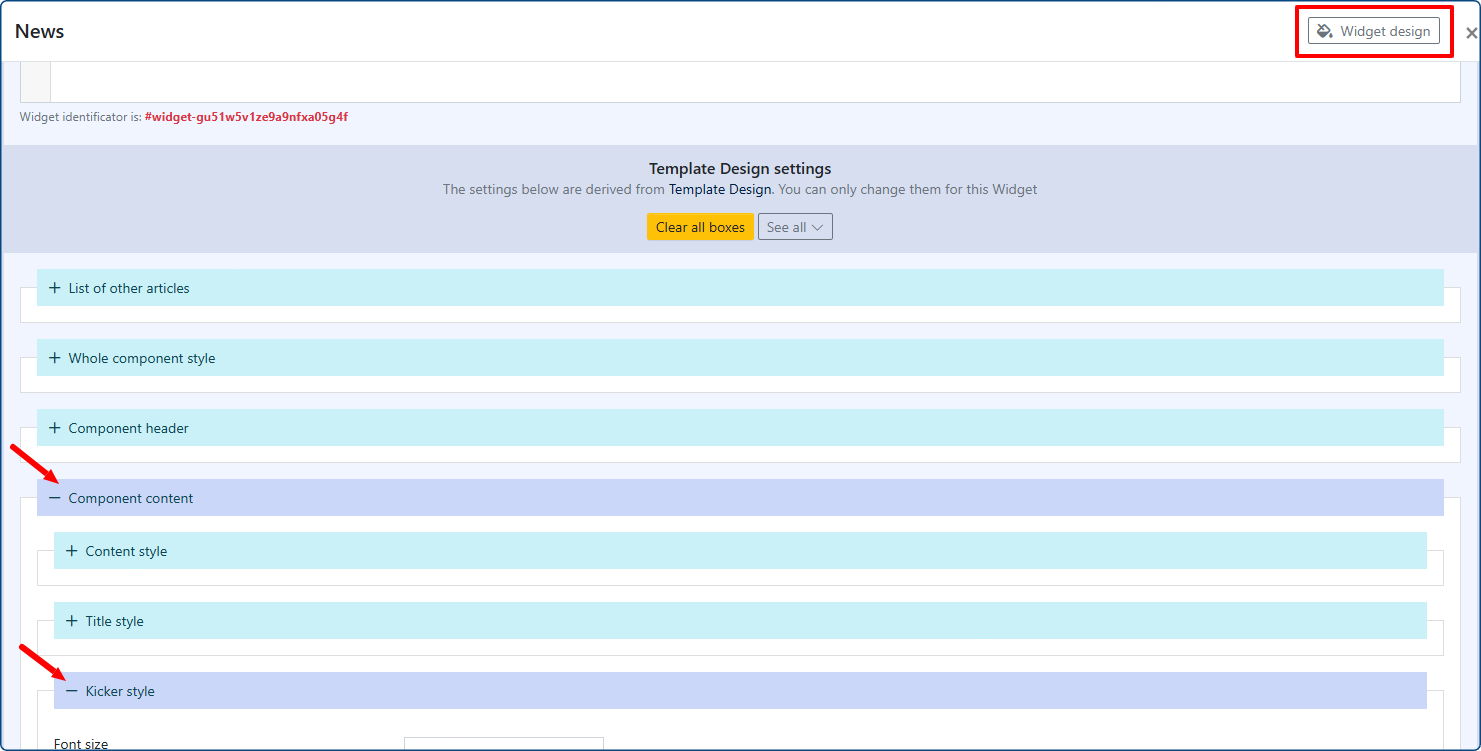
The available customization options are the same as for other template elements.
To customize the kicker’s colors in both the entry list view (articles, galleries, polls) and inside individual entries (articles, galleries, polls), go to Settings > Custom CSS styles and add the necessary CSS styles.