polski
 español

 Magdalena Szypulska
Most local newsrooms are sitting on one of their biggest untapped SEO opportunities—and they don't even realize it.
Community event coverage is often treated as disposable content. Editors publish a quick announcement about this weekend's farmers market, a summer concert series, or a county fair, and once the event is over, the page quietly fades into Google's archive.
Meanwhile, thousands of people continue searching for phrases like "things to do this weekend," "free events near me," "family activities in Phoenix," or "live music in Nashville tonight." These highly specific searches may not generate blockbuster traffic individually, but together they represent one of the most valuable long-tail traffic sources available to local publishers.
An event calendar shouldn't be a digital bulletin board filled with copied press releases. Done right, it becomes a long-term SEO asset that consistently attracts readers month after month—provided you stop creating disposable URLs for recurring events.
A well-structured events hub, supported by smart internal linking, can generate reliable organic traffic regardless of the season. More importantly, it matches how people actually consume content today. Readers aren't settling in with a cup of coffee to read every word of a 1,500-word article—they're scanning for answers.
If your website can't tell someone what's happening this Friday night within a few seconds, Google will likely send that reader to another local publisher who can.
The good news? Building an AI-friendly, search-optimized events hub doesn't require a massive editorial overhaul. With a few structural changes and the right publishing workflow—and a little storytelling instinct—your newsroom can turn routine event listings into a dependable source of evergreen search traffic and content readers actually want to share.
How to Build an AI-Friendly Events Calendar
Traditional search results are no longer the only gateway to your content. As Google's AI-powered experiences continue to evolve, users increasingly receive complete answers before they ever click a blue link.
If someone searches for "things to do in Austin this weekend," Google's AI may summarize the best options directly in search results. The publishers that earn those mentions are usually the ones that present clear, structured information from the very beginning.
One of the biggest mistakes newsrooms make is burying the essential details halfway through an article. If readers—and AI systems—have to hunt for the event date, location, admission price, or start time, you've already made your content harder to understand.
Instead, follow the classic inverted pyramid.
Immediately below the headline, include a concise information box covering the essentials:
- What is the event?
- Where is it taking place?
- When does it start?
- How much does it cost?
- Who is it for?
This format doesn't just improve the reader experience. It also makes your content significantly easier for search engines and AI systems to interpret, increasing the likelihood that your information will appear in AI-generated answers, rich results, and other enhanced search features.
Long introductions, marketing language, and unnecessary storytelling may read well, but they often delay the information users are actually searching for. In an AI-first search landscape, clarity consistently outperforms cleverness.
Every event page should answer the user's primary question within the first few seconds. When your newsroom consistently publishes content that directly satisfies search intent, you build topical authority—a signal that has become increasingly important as search evolves beyond traditional keyword rankings.
This doesn't mean your events hub has to read like a spreadsheet. The facts come first—but the color and connection that make a story feel local can live comfortably right after the info box. See the next section for how to do both at once.
Give Readers the Facts—Then Give Them the Feeling
Structured data gets your event in front of readers. Good storytelling is what makes them stay, and what makes them trust your newsroom enough to come back for the next one.
The inverted pyramid isn't a reason to strip your event coverage of personality—it's a sequencing rule. Facts first, feeling second. Once the info box has answered what, where, when, how much, and who, the rest of the article has room to do what a press release never can: make the event feel like part of the community's life, not just an entry on a calendar.
Where cultural detail belongs, and where it doesn't
- Use it in the narrative body, never in the info box, headline, or structured data. Schema markup and the essentials block stay clean and literal—that's what search engines and AI summaries parse.
- Use it to answer a question the facts alone can't: why does this event matter here, and why now?
- Keep it brief. A sentence or two of texture is often enough. The goal is a reader feeling recognized, not a travel brochure.
A few examples of the kind of detail that earns its place:
- Independence Day: backyard barbecues, neighborhood fireworks, baseball games, small-town parades, concerts in the park, flags on front porches, families packing coolers for the lake—the unofficial midpoint of summer.
- Thanksgiving: crowded airports, family reunions, football rivalries, the start of Black Friday anticipation.
- Memorial Day: the unofficial start of summer travel season and ceremonies honoring veterans.
- Labor Day: the last beach weekend of the season and the shift into back-to-school routines.
- Election Day: campaign signs on lawns, polling places set up in school gyms and church halls, "I Voted" stickers.
- Christmas: tree lightings downtown, community toy drives, packed shopping districts.
Add context, briefly, when it helps a reader connect:
- A short line on why a tradition exists (a county fair rooted in the region's agricultural history, a parade that's run every year since a specific founding event).
- A nod to how the tradition has been passed down—"families have brought lawn chairs to this same stretch of Main Street for three generations."
- A connection between today's specific event and the wider ritual it belongs to.
Keep it grounded, not decorative. The test for any cultural detail: does it help a reader picture themselves at this event, or is it filler that could be swapped into any city's coverage of any event? If a sentence would read the same whether the event were in Ohio or Oregon, it's not doing its job. Specificity—this venue, this neighborhood, this year's twist on an old tradition—is what separates a locally reported guide from a generic listing, and it's also what keeps the writing from feeling like a press release run through a rewriter.
This is where a well-designed AI editing workflow earns its keep: it can be prompted not just to reorganize facts, but to notice where a sentence of local color belongs—and to leave it out everywhere else.
Keep Event Pages Working Long After the Event Ends
Here's how event coverage typically works in most newsrooms.
An editor publishes a preview of this weekend's event. The festival ends. The article stops receiving traffic. A year later, the newsroom creates an entirely new page for the next edition—and starts from scratch.
It's an incredibly common workflow, but it's also one of the biggest missed SEO opportunities for local publishers.
Every new URL created for the same recurring event dilutes your site's authority. Instead of strengthening a page that already has backlinks, search history, and rankings, you're asking Google to evaluate an entirely new piece of content every single year.
Publishing dozens of one-off event pages also wastes crawl budget and increases the risk of keyword cannibalization, especially when multiple pages compete for nearly identical searches.
Imagine your city hosts an annual county fair, a summer music festival, or a popular holiday parade.
Avoid creating URLs like:
yournewsroom.com/events/2026/summer-music-festival-2026
Instead, create a permanent, evergreen URL:
yournewsroom.com/events/summer-music-festival
The page becomes the long-term home for that event.
Before each new edition, simply update the date, schedule, featured performers, ticket information, and any other relevant details. Once the event ends, don't archive the page or let it go stale. Refresh it with a photo gallery, attendance highlights, key moments, or a recap of what happened.
That single URL keeps accumulating authority year after year.
Rather than abandoning everything you've already built, you're continuously improving an asset that search engines already trust. Readers searching for next year's event are far more likely to discover a page with an established history than a brand-new URL with no authority.
Think of every recurring event page as an evergreen resource—not a temporary news story.
An evergreen page also has a storytelling advantage the disposable model never gets: it can grow richer every year. This year's recap paragraph—the crowd size, a photo gallery, a specific moment from the parade route—becomes next year's "last year's festival drew a record crowd" line, building a sense of continuity a brand-new URL can never have on day one.
What If Local Organizations Don't Make Event Data Easy to Access?
Maintaining a comprehensive community events calendar by hand is one of the most repetitive jobs in any local newsroom.
Every day, editors copy information from city websites, museums, libraries, schools, theaters, nonprofit organizations, and community centers. It's important work—but it's also time that could be spent on original reporting.
Copying information from flyers, Facebook posts, or outdated websites isn't the best use of a journalist's expertise.
Fortunately, much of that workflow can be automated.
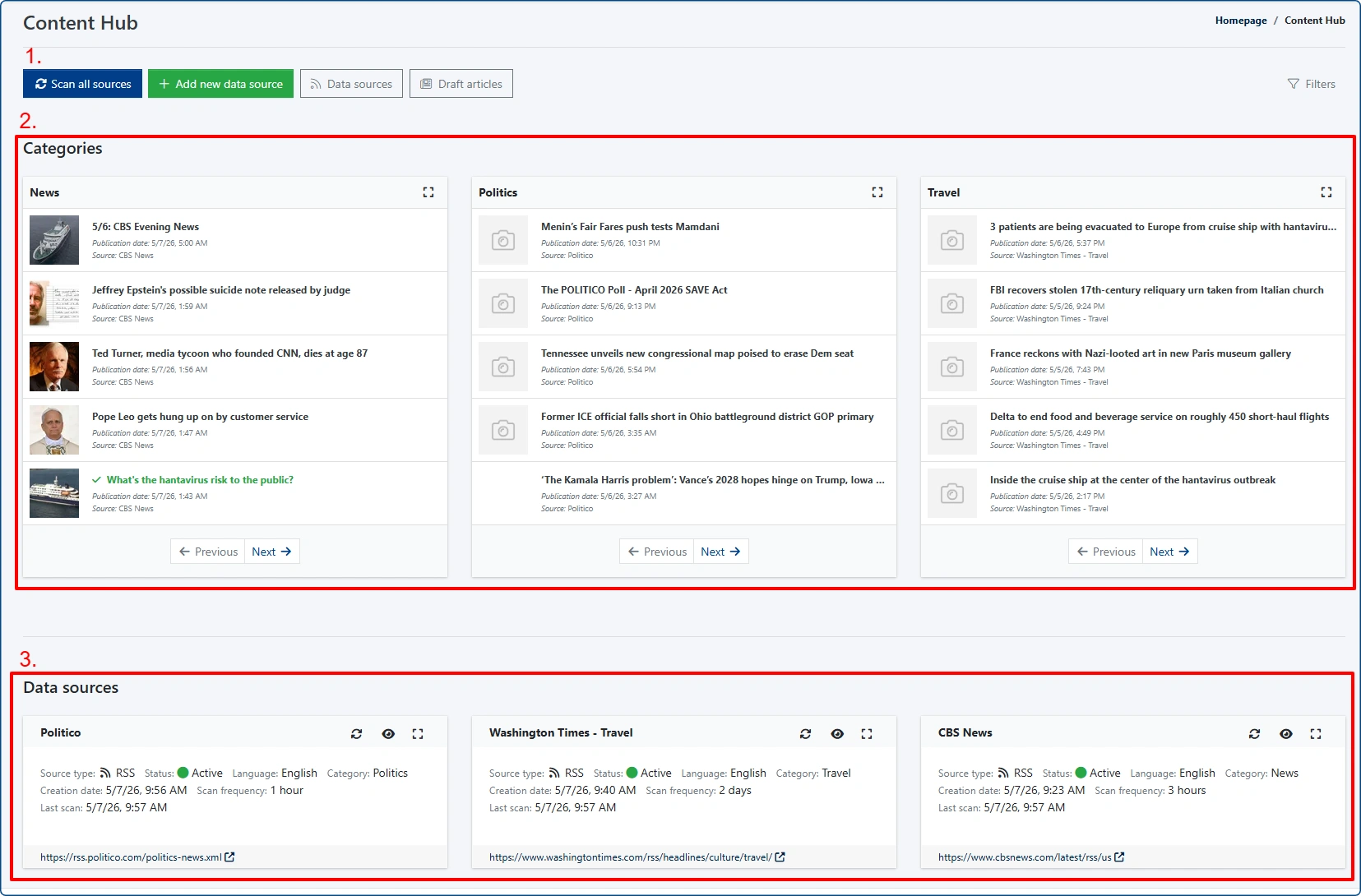
With Content Hub in 4Media CMS, publishers can aggregate external content feeds directly into their editorial workflow. New event announcements can be collected automatically, allowing editors to focus on reviewing, enriching, and publishing content instead of manually retyping it.
But what happens when a local theater or community center doesn't provide an RSS feed?
That's a surprisingly common problem.
Many smaller organizations still rely on basic websites—or simply post updates on Facebook or Instagram.
Fortunately, there are tools that can bridge that gap.
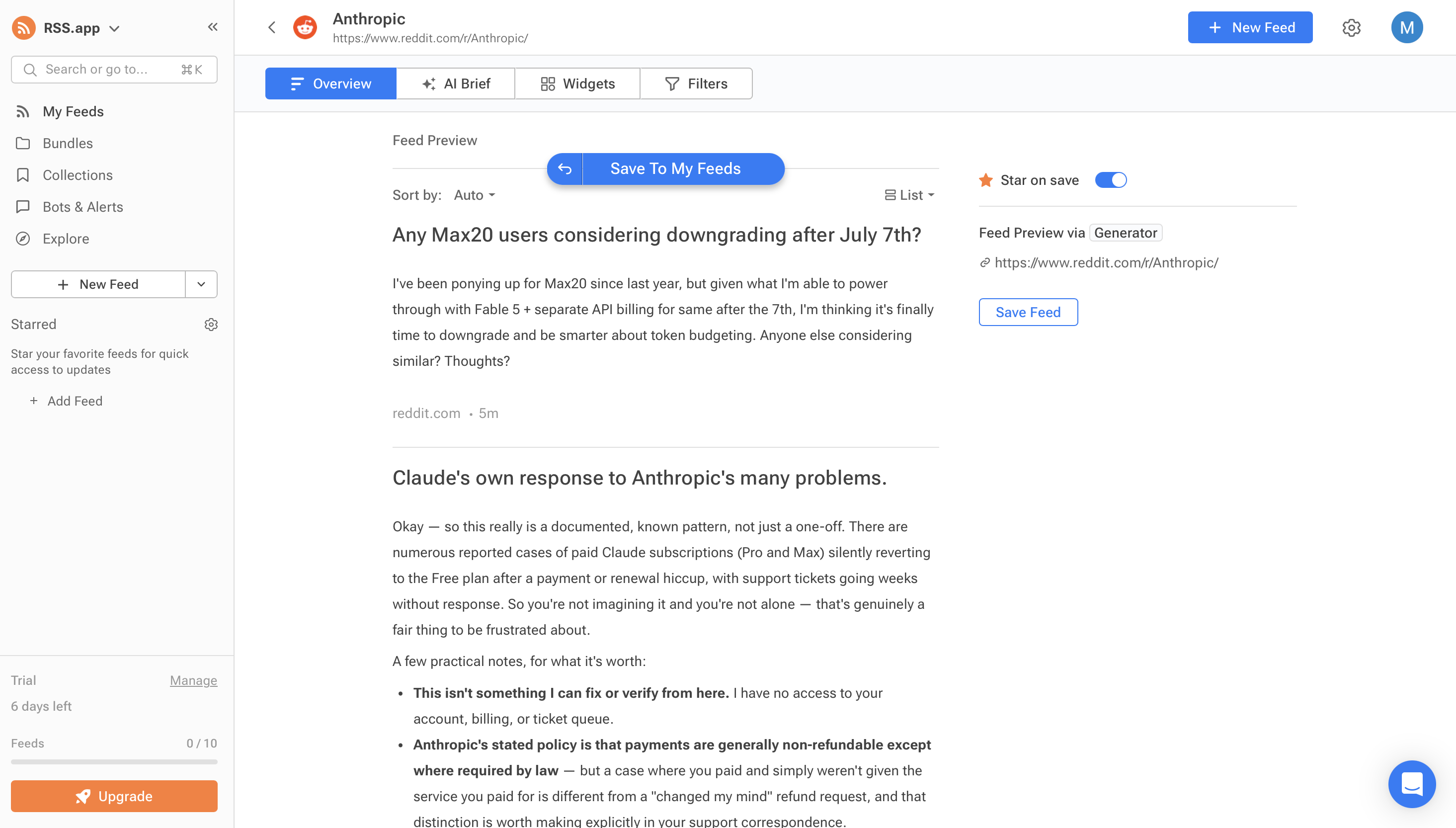
Services such as RSS.app, FetchRSS, and PolitePol can generate RSS feeds from almost any publicly accessible webpage or social media profile. Instead of checking dozens of websites every morning, your newsroom can automatically collect new event announcements in one place.
Once those generated feeds are connected to Content Hub, new content flows directly into your CMS, where it can be reviewed, enhanced with AI, and published in just a few clicks.
The result is a workflow that scales effortlessly—even if your community includes hundreds of organizations publishing events across dozens of different websites.
Give AI Better Instructions, Get Better Articles
Automatically importing event announcements into your CMS can save hours of manual work every week. But automation comes with one important responsibility: don't publish imported content exactly as you receive it.
If your CMS pulls an event description directly from a city website, library, museum, or community organization and republishes it word for word, you're simply duplicating content that's already available elsewhere on the web.
That creates little value for readers—and even less for search engines.
The solution isn't to abandon automation. It's to combine automation with AI-assisted editing.
Instead of treating AI as a content generator, think of it as your newsroom's first editor. Its job is to reorganize information, improve clarity, and transform raw event announcements into useful local guides.
A simple prompt can accomplish most of that work in seconds.
Example prompt
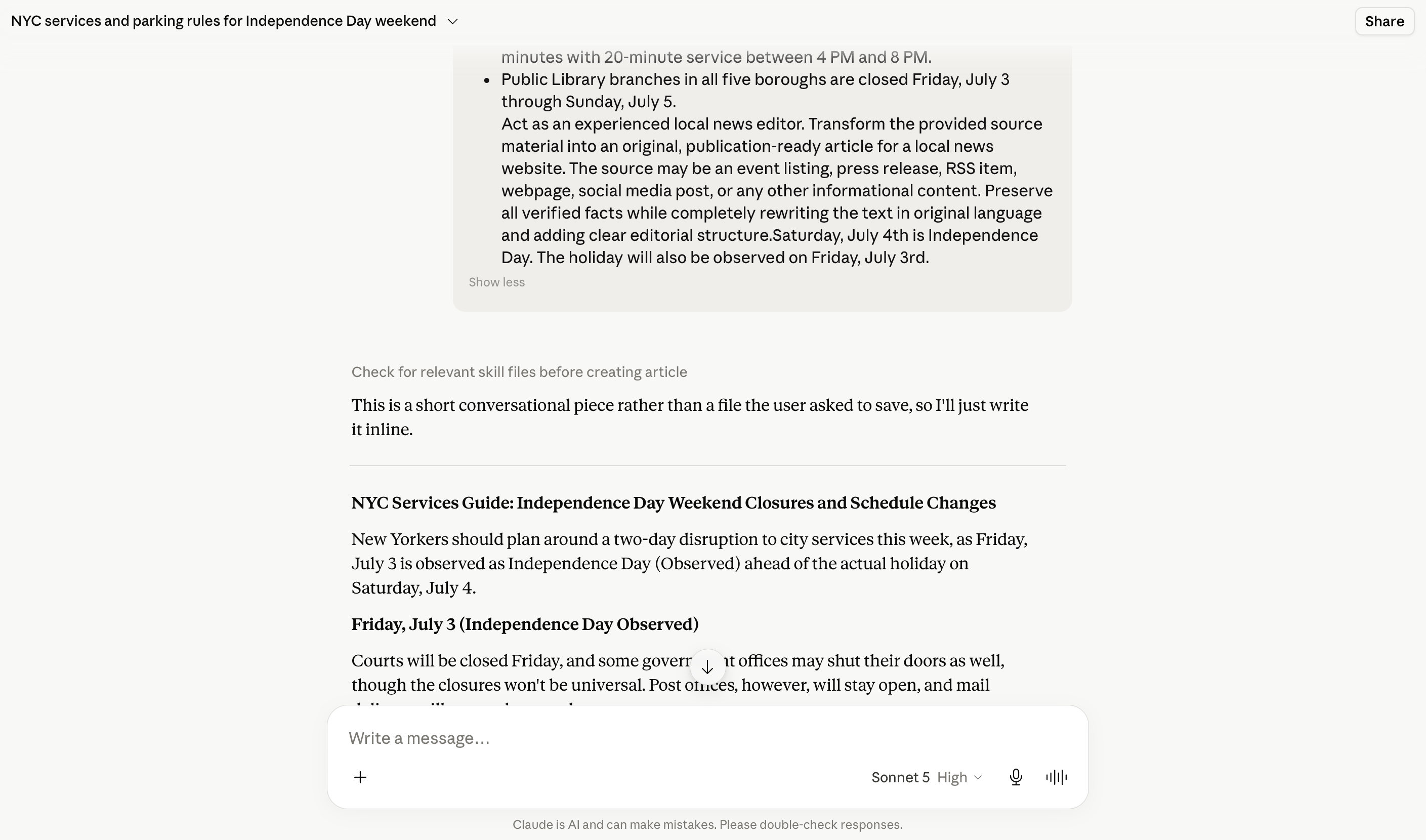
Act as an experienced local news editor. Transform the provided source material into an original, publication-ready article for a local news website. The source may be an event listing, press release, RSS item, webpage, social media post, or any other informational content. Preserve all verified facts while completely rewriting the text in original language and adding clear editorial structure.
An expanded version of the prompt, once your newsroom is ready to bring in cultural texture:
Act as an experienced local news editor writing for a community that knows this town well. Transform the provided source material into an original, publication-ready article. Lead with a concise facts block (what, where, when, cost, audience) before any narrative. Preserve all verified facts and never invent details, quotes, or attendance figures. After the facts block, you may add one or two sentences of authentic local or seasonal color—a relevant tradition, a seasonal routine, or a piece of context that helps a local reader picture the event—only if it fits naturally and stays factual. Do not add cultural references to the headline, facts block, or any structured data. If no genuine local angle is available, do not force one.
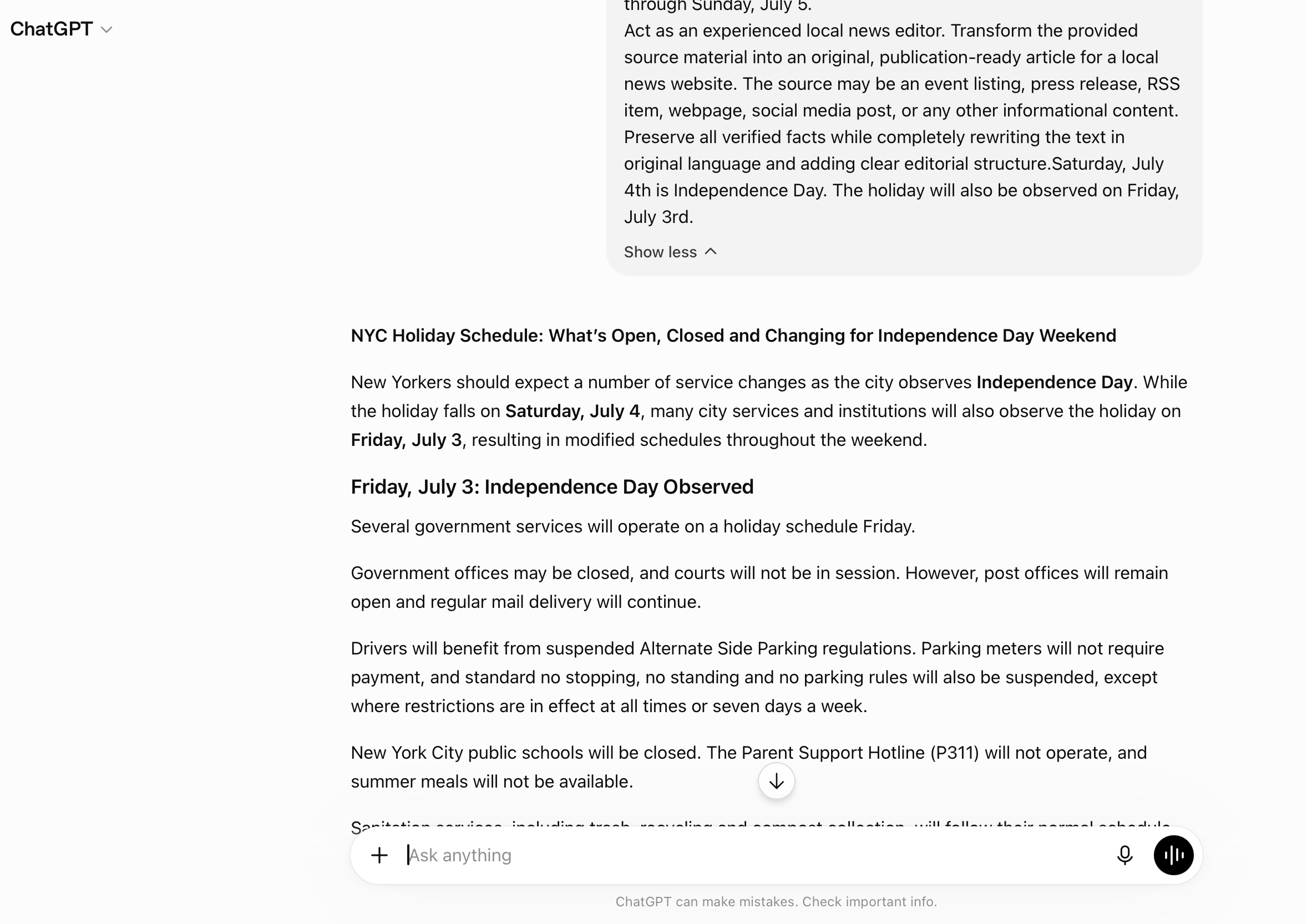
This approach does far more than rewrite sentences.
A well-designed AI workflow surfaces the information readers care about first, organizes it into a logical structure, and produces content that's easier for both people and search engines to understand—while still sounding like it came from a newsroom that knows the difference between a county fair in July and a harvest festival in October.
Instead of publishing another generic press release, your newsroom delivers a genuinely useful event guide while maintaining original, search-friendly content.
Help Search Engines Understand Your Events
Even the best-written event article is just plain text unless search engines understand what it represents.
To Google, an article about a summer concert, a county fair, or a charity fundraiser looks no different from a recipe or a restaurant review unless the page clearly identifies it as an event.
That's where structured data makes the difference.
By adding Schema.org Event markup behind the scenes, publishers give search engines the context they need to understand exactly what the page contains. This improves eligibility for enhanced search features, including rich results and AI-generated summaries.
With Events Widget in 4Media CMS, this process is built directly into the publishing workflow. Editors simply complete an event form, while the CMS automatically generates the structured data required by Google—no custom coding or developer involvement required.
One small detail is worth remembering.
Avoid adding marketing slogans or promotional copy to event titles and URLs. This applies to seasonal flourishes too—save the color for the body text, never the title, the URL slug, or the structured data fields.
Search engines prefer clarity over creativity. A title like:
Downtown Summer Music Festival
is far more useful than:
Don't Miss the Biggest Music Event of the Summer!
The same principle applies to event locations.
Always provide a real venue and physical address whenever possible. Accurate event names, locations, dates, and times don't just improve the reader experience—they also give Google's systems the structured information they need to confidently identify and display your event in search results.
In other words, you're not writing for robots.
You're giving search engines the context they need to understand what your newsroom has already created—and giving your readers the story around it.
Keep Your Events Hub Crawl-Friendly
Building a comprehensive events database is one of the best long-term SEO investments a local publisher can make.
But without proper technical maintenance, that same database can create unnecessary problems for search engines.
Google allocates a limited crawl budget to every website. The more time its crawlers spend exploring low-value pages, the less time they have to discover your newest stories and most important content.
This often happens when event directories include dozens of filter combinations, outdated archives, or dynamically generated search pages.
Imagine an events calendar where visitors can browse concerts from five years ago, combine multiple filters, sort by dozens of tags, and generate thousands of unique URLs.
To users, those filters may seem helpful.
To search engines, they're often an endless maze.
Instead of crawling your latest breaking news or upcoming event coverage, Googlebot may spend valuable crawl resources indexing thousands of low-value pages that have little chance of attracting organic traffic.
Fortunately, preventing this is straightforward.
Use your robots.txt file to block crawlers from unnecessary search results and dynamically generated filter pages.
Rules such as:
Disallow: /events/search
Disallow: /*?date=
Disallow: /*?tag=
help keep crawlers focused on the pages that matter most.
A clean crawling strategy allows search engines to spend their resources discovering fresh content instead of wandering through outdated archives and duplicate filter combinations.
The result is faster indexing, better crawl efficiency, and a healthier site overall.
Key Takeaways
A well-managed events hub isn't just another section of your website—it's a long-term traffic engine, and with the right editorial touch, a long-term relationship with your readers.
When built with both readers and search engines in mind, recurring event coverage can deliver consistent organic traffic throughout the year while strengthening your publication's authority in local search.
Here are the strategies every local newsroom should follow:
- Lead with the facts. Use the inverted pyramid and place the most important information—date, time, location, admission details, and audience—at the very beginning of every event page.
- Create original editorial value. Never republish municipal announcements or press releases verbatim. Use AI to transform source material into reader-friendly guides that provide unique value.
- Add authentic local color, sparingly. After the facts, a sentence or two of genuine seasonal or community context—why this tradition exists, how the town has marked it for years—helps readers feel connected without slowing down the search-and-AI-friendly structure.
- Use structured data. Help search engines understand your content by implementing Schema.org Event markup. Properly structured pages are more likely to qualify for rich search features and AI-generated answers.
- Build evergreen URLs. Instead of publishing a new page every year for recurring events, maintain one permanent URL and update it as each edition approaches. Over time, that page accumulates authority—and a running story of its own.
- Protect your crawl budget. Prevent search engines from wasting time on outdated archives and endless filter combinations. Keep crawlers focused on the pages that generate meaningful traffic.