polski
 español

 Magdalena Szypulska
While often ignored as just "tech stuff," your URL structure is actually the roadmap for your entire website. It tells search engines where to go and users what to expect. Get it right, and you build a highway to higher rankings. And while you're smoothing out that highway, make sure you don't ignore your Google Core Web Vitals. Get it wrong, and you’re building a maze. If you feel like your site is currently stuck in one of those mazes, check out the 10 reasons why you might be invisible on Google and how to fix them.
This guide will show you how to build clean, effective URLs that both humans and bots will love—without the headache. Understanding these basics is critical, especially when figuring out how to survive and rank in the era of generative search.
In Brief
- HTTPS is a Must: Think of it as a security guard for your data. No guard, no trust.
- Keep it Readable: If a human can’t read the URL and guess what the page is about, neither can Google.
- Hyphens, Not Underscores: Google reads hyphens (-) as spaces. It reads underscores (_) as glue.
- Folders over Subdomains: Keep your blog in a subfolder (domain.com/blog/) to share the SEO wealth. Subdomains often act like separate islands.
- Clean Up Duplicates: Use rel="canonical" tags to tell Google which page is the "original" and which is just a copy.
Table of contents
- Breaking Down a URL (Piece by Piece)
- Golden Rules for SEO-Friendly URLs
- Designing Your Site's Architecture
- Advanced Tips (Keep It Simple)
- Summary Checklist
Breaking Down a URL (Piece by Piece)
Let’s dissect a URL to see how the engine runs.
The Example: https://www.google.com/search?q=https://store.brandname.com/mens-clothing/shirts%3Fcolor%3Dblue%26size%3Dxl%23details
1. The Protocol (The Handshake)
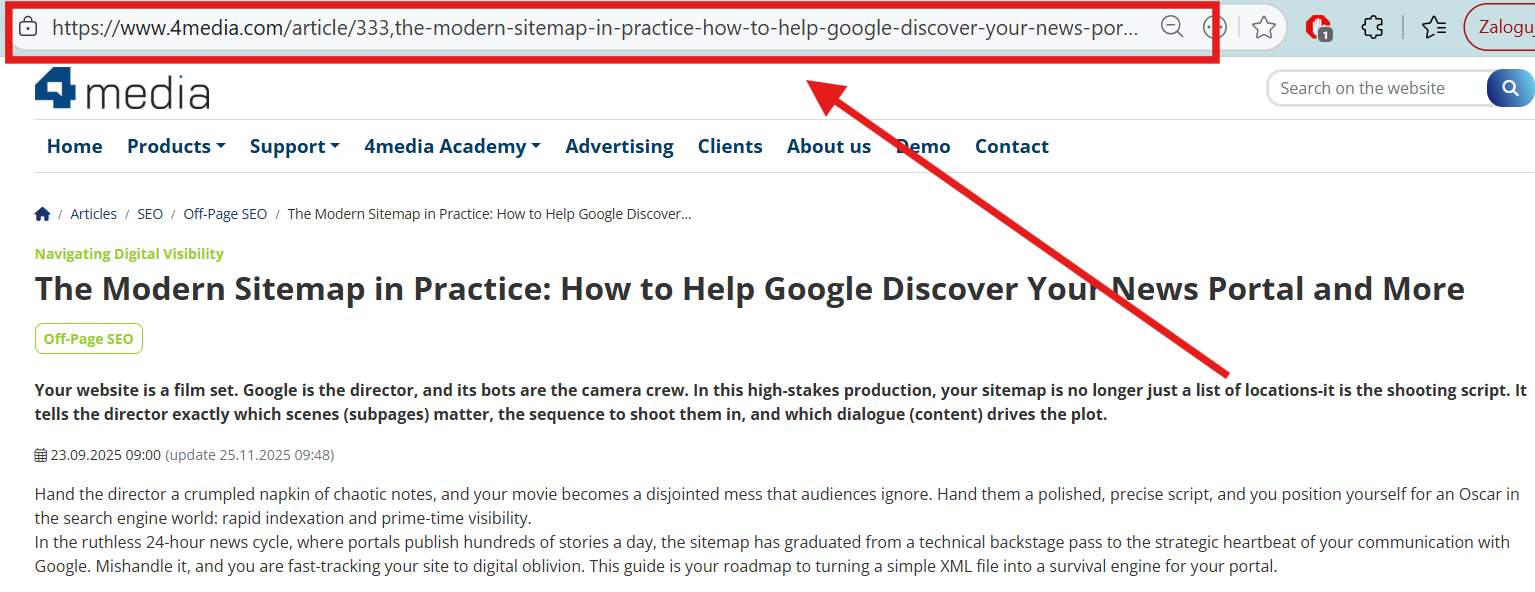
https:// This is how your browser says "hello" to the server.
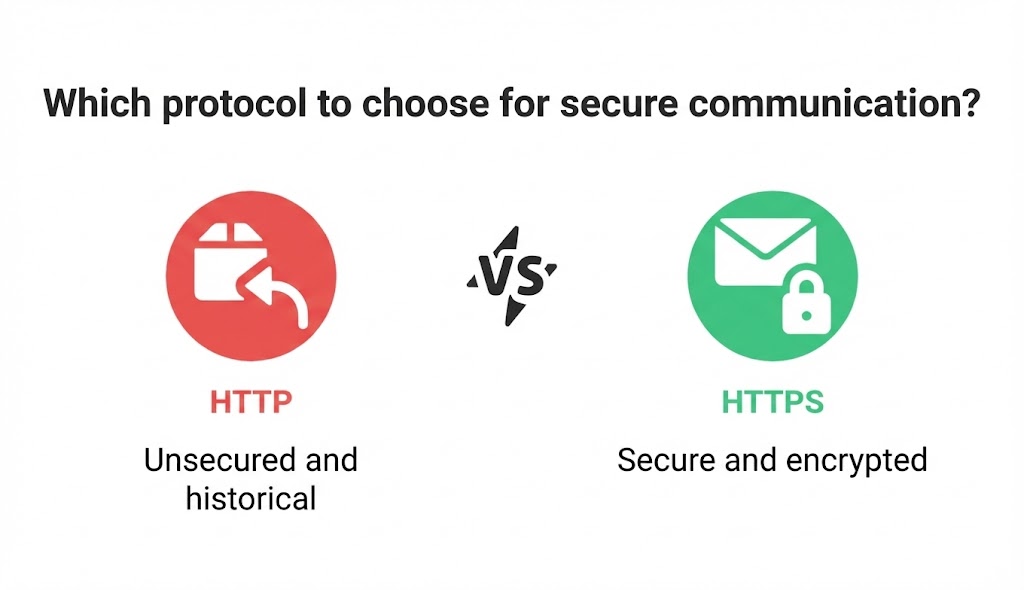
- HTTP: It’s like sending a postcard. Anyone can read it along the way.
- HTTPS: It’s like sending a locked armored truck. It’s secure.
If you don’t have that "S" at the end, browsers will warn users your site is "Not Secure." That’s a fast way to lose customers.
Build on Solid Ground: Security isn't just about the SSL certificate padlock. It's about the foundation your house is built on. A dedicated platform like CMS4Media acts like a fortress for your content. It handles the heavy lifting—stable hosting, security updates, and 24/7 support—so you don't have to worry about hackers or downtime. You focus on the content; the system handles the safety.
2. The Domain (Your Address)
https://www.google.com/search?q=store.brandname.com This is your digital home address.
- Subdomain (store): Like a guest house in the backyard.
- Root Domain (brandname): The main house.
- TLD (.com): The neighborhood. While .com is the most popular, local ones like .co.uk tell Google you serve a specific area.
3. The Path (The Room)
mens-clothing/shirts This leads to the specific spot on your site. Think of it like walking through your house: Front Door -> Hallway -> Kitchen. A good path is logical. A bad path is a labyrinth. The final piece (like shirts) is called the slug.
4. The Query (The Instructions)
?color=blue&size=xl This part usually appears when you filter or sort things. It tells the database: "Only show me the blue ones." It’s useful for users, but messy for SEO.
5. The Fragment (The Jump)
#details This skips the user straight to a specific part of the page, like a "Read More" button. Google mostly ignores this, but it’s great for user experience.
Golden Rules for SEO-Friendly URLs
You want your URLs to be clean, simple, and honest. Here is how to do it.
1. The "Billboard Test"
Imagine your URL is on a billboard and someone drives past at 60 mph. Can they remember it? Can they guess what the page is about?
- Confusing: https://www.google.com/search?q=example.com/p%3Fid%3D12345 (What is this?)
- Clear: https://www.google.com/search?q=example.com/running-shoes/nike-air-max (Ah, it's shoes!)
2. Use the Right Keywords
If your page is about "Chocolate Cake," put chocolate-cake in the URL. It confirms to Google (and the user) that they are in the right place.
- Warning: Don’t overdo it. https://www.google.com/search?q=example.com/cake-chocolate-cake-best-chocolate-cake looks like spam. Keep it natural.
3. Clean Up the Mess
- Stick to Hyphens: Always use (-). Never use spaces (which turn into ugly %20 codes) or underscores.
- Go Lowercase: Servers can be picky. To a server, Page and page might be two different things. Stick to lowercase to avoid confusion.
- Cut the Fluff: Words like "and," "the," "of," and "a" just take up space. Remove them.
- Before: .../the-ultimate-guide-to-seo-structure
- After: .../seo-structure-guide
Pro Tip: Consistency is Key. If you run a news site or a blog with a big team, keeping everyone on the same page is hard. Tools like the 4MEDIA AI Assistant can be a lifesaver here. They help your editorial team automatically polish content and generate optimized topics, ensuring every URL and headline is perfect before it goes live. But before relying entirely on bots for that content, read up on the 10 things you should know about ChatGPT before writing articles.
4. Static vs. Dynamic
- Static (.../blog/post-title): Best for SEO. It doesn't change.
- Dynamic (...?cat=12&pid=55): These are generated on the fly. Google can crawl them, but they aren't pretty, and they don't tell the user anything. Avoid them for your main content pages.
Designing Your Site's Architecture
Think of this as drawing the blueprints for your house. Of course, URLs are just one part of the blueprint—for the full picture, you should explore site structure optimization to build an architecture that Google loves.
Subdomains vs. Subdirectories
- Subdirectories (https://www.google.com/search?q=example.com/blog/): The Winner. This keeps everything under one roof. When your blog gets a powerful link, your product pages benefit too. It’s all one big happy family. Speaking of powerful links, knowing exactly what SEO metrics like Ahrefs DR and Majestic TF actually mean when buying sponsored articles ensures your family of pages gets the best possible boost.
- Subdomains (https://www.google.com/search?q=blog.example.com): This separates your site into different properties. It’s like owning two houses on the same street. Google treats them somewhat separately, meaning you have to work twice as hard to build authority for both.
Organizing Your Content: Flat vs. Hierarchical
This is a common dilemma. Should you put everything in one big pile, or organize it into folders?
- Hierarchical (real-estate/mortgage-guide): Best for most sites. It works like a library. You go to the "Non-Fiction" section, then "Finance," then "Mortgages." It helps Google understand that your site is an expert on specific topics. To help Google map all those hierarchical folders effectively, implementing the modern sitemap in practice is a highly recommended next step.
- Flat (/mortgage-guide): Good for very small, niche sites. It keeps links short, but you lose that organizational context.
The Hidden Benefit: Better Reporting
Here is a secret: Good URLs make your life easier when you are looking at data.
If you organize your URLs (.../guides/, .../news/), you can go into Google Analytics and say, "Show me how all my Guides are doing."
If everything is just thrown into the root folder, you have to sort through them one by one. Structure your URLs for your own sanity. And to make the most of that sane structure, check out our technical guide to Google Analytics 4 and Search Console.
Monetizing Your Architecture
A professional site structure signals to the world that you mean business.
This matters to partners. Big advertising networks like ADS4media love working with publishers who have organized, high-quality portals. Why? because they are easier to categorize and sell to advertisers. A clean URL structure isn't just for SEO; it helps you maximize revenue and attract better ad deals. And when those deals land, make sure your team knows how to write a good sponsored article.
Advanced Tips (Keep It Simple)
The Canonical Tag (The "Original" Stamp)
Sometimes, shopping sites create five different URLs for the same t-shirt (one for blue, one for red, etc.). Google gets confused: "Which one do I rank?"
Use the rel="canonical" tag. It’s a simple sticker you put on the code that tells Google: "This is the main version. Rank this one." If you're paying for content placements across different sites, you absolutely need to know how to use the canonical tag in sponsored content.
Moving House (301 Redirects)
If you change a URL, you break the link. It’s like moving house without leaving a forwarding address. Your visitors (and Google) will hit a dead end (404 Error).
Always use a 301 Redirect. It automatically forwards anyone visiting the old link to the new one, passing along all your SEO credit.
Summary Checklist
- Secure it: Use HTTPS everywhere.
- Make it readable: Short, descriptive words separated by hyphens.
- Organize it: Use folders to create logical sections.
- Clean it: No capital letters, no weird symbols.
- Don't break it: If you change a link, redirect it.
By mastering these fundamentals, you set your website up for long-term success. Even as the digital landscape shifts—and as history reminds us, they said radio would kill print too, so surviving AI in 2026 is completely within reach—a clear, logical URL structure will always be a cornerstone of a healthy site.