polski
 español

 Magdalena Szypulska
You built a beautiful website. You launched it with pride. You type your company name into Google, press Enter, and… nothing.
Silence.
It’s a frustrating feeling, like opening a shop in the middle of a desert where no one drives by. You find yourself asking: "Why doesn't Google see my page?"
The answer usually isn't bad luck. It’s usually a specific, fixable problem. It might be a digital "Do Not Enter" sign you accidentally hung on the door (a bad robots.txt file), or maybe your content is just too thin for Google to care about.
In this guide, we will walk through the 10 most common reasons your site is playing hide-and-seek, and exactly how to fix them so you can finally get found.
If you are just starting your journey with search engines and want to make sure your foundations are rock solid, you might also want to brush up on our comprehensive guide covering Site Structure Optimization: How to Build an Architecture That Google Loves before diving into these technical fixes.
Key Takeaways
- Invisible vs. Buried: There is a difference between not being in Google at all (Deindexed) and being on page 50 (Low Ranking). You need to know which problem you have.
- The "Bouncer": A tiny file called robots.txt can accidentally block Google from ever entering your site.
- Quality is King: Google ignores "thin" content. If your page doesn't offer value, it won't be indexed.
- The Voting System: Backlinks act like votes of confidence. Without them, you have no authority.
- Local Matters: If you are a local business, a verified Google Business Profile is your VIP pass to the front of the line.
Table of contents
- 1. You Are in Google, But You Are Buried Alive
- 2. The "Bouncer" is Blocking the Door (robots.txt)
- 3. You put a "Private" Sign on the Window (Meta Noindex)
- 4. You gave Google a Bad Map (Sitemap Errors)
- 5. Your Content is Too "Thin" (Low Quality)
- 6. The "Clone Wars" (Duplicate Content)
- 7. Your Site is Too Slow (Frustrating Users)
- 8. You Have Been Penalized (Security Issues)
- 9. You Are a Ghost Locally (Local SEO)
- 10. No One Voted for You (Low Authority)
- Start Recovering Your Visibility Today
1. You Are in Google, But You Are Buried Alive
Before we panic, let’s check the most common scenario. Often, when you think "Google doesn't see me," it actually does—you are just ranked so low (e.g., page 10) that you feel invisible.
(Side note: Sometimes low rankings are simply caused by messy addresses. Before doing a deep audit, you might want to review The Ultimate Guide to URL Structure for SEO to ensure your pages are named logically).
How to check: Type this into the Google search bar: site:your-website.com
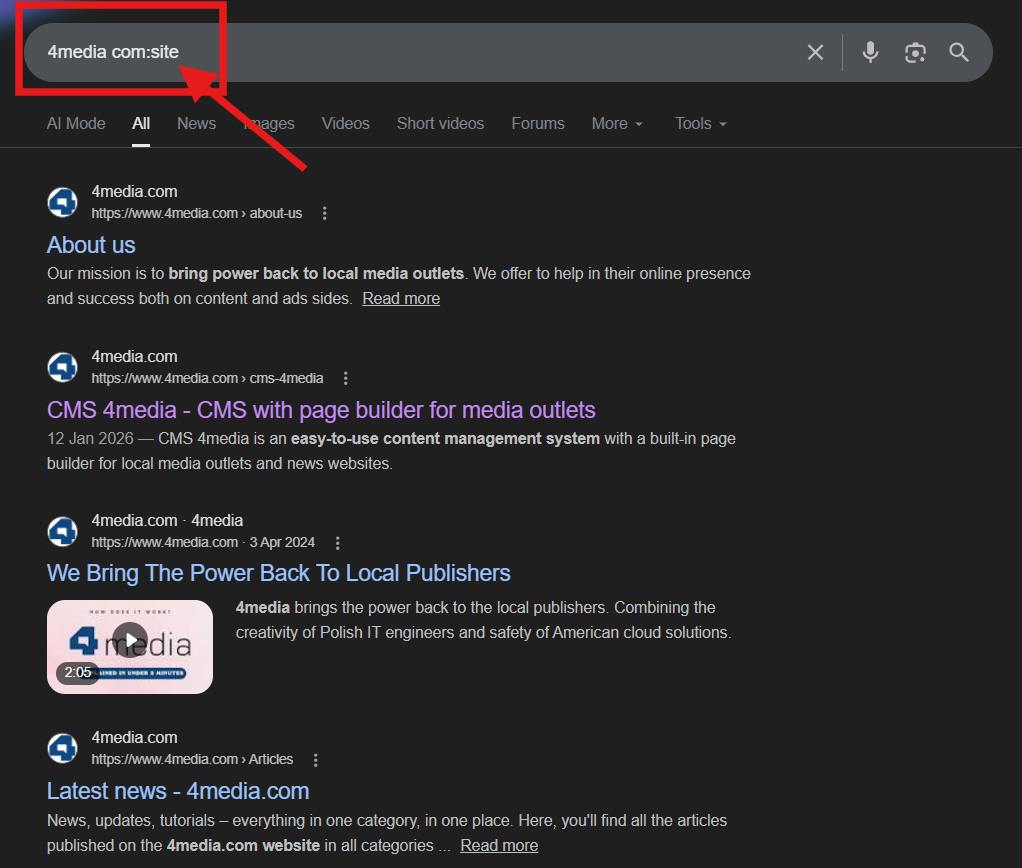
- If you see results: Good news! You are indexed. Your problem is ranking, not visibility. You need to focus on SEO quality (Points 5-10 below).
- If you see "0 results": You have a technical problem. Google has completely locked you out. Read on.
2. The "Bouncer" is Blocking the Door (robots.txt)
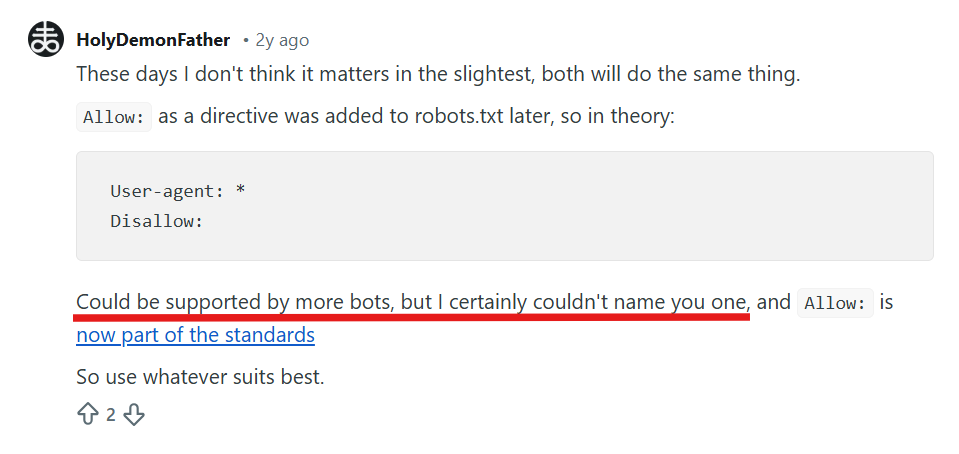
Your website has a file called robots.txt. Think of it as the bouncer at a club. Its job is to tell bots where they can and cannot go.
A single typo here can block Google from your entire site.
The Mistake: If your developer accidentally left this code in the file: User-agent: * Disallow: /
What it means: "Attention all robots (*), you are NOT allowed (Disallow) inside the root folder (/). "
The Fix: Check your file at https://www.google.com/search?q=yourdomain.com/robots.txt. If you see that line, delete it immediately.
3. You put a "Private" Sign on the Window (Meta Noindex)
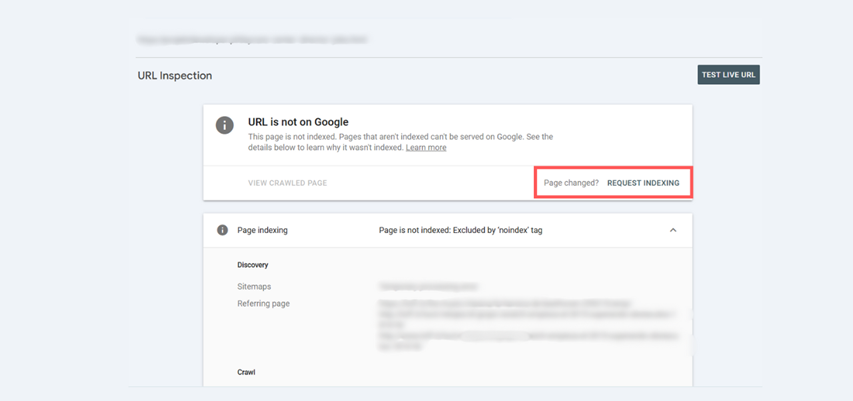
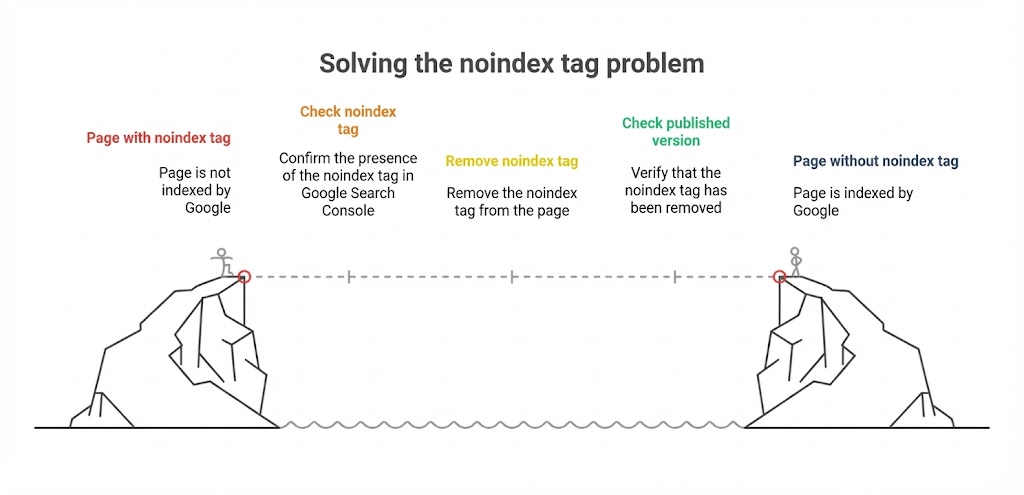
Sometimes, the block isn't in a file, but on the page itself. The noindex tag is a piece of code that literally tells Google: "Do not show this page in search results."
This often happens when a site is under construction. Developers turn this tag on to keep the messy draft private, but forget to turn it off when going live.
Managing tags and metadata can get tricky, especially during site migrations or redesigns. For a deeper dive into tools that help you track these changes and avoid deployment traps, read our article on Measuring Website Traffic: A Technical Guide to Google Analytics 4 and Search Console.
How to check: Use Google Search Console. Here is how to navigate it:
Go to the Pages report to see the overview of what is indexed and what isn't.
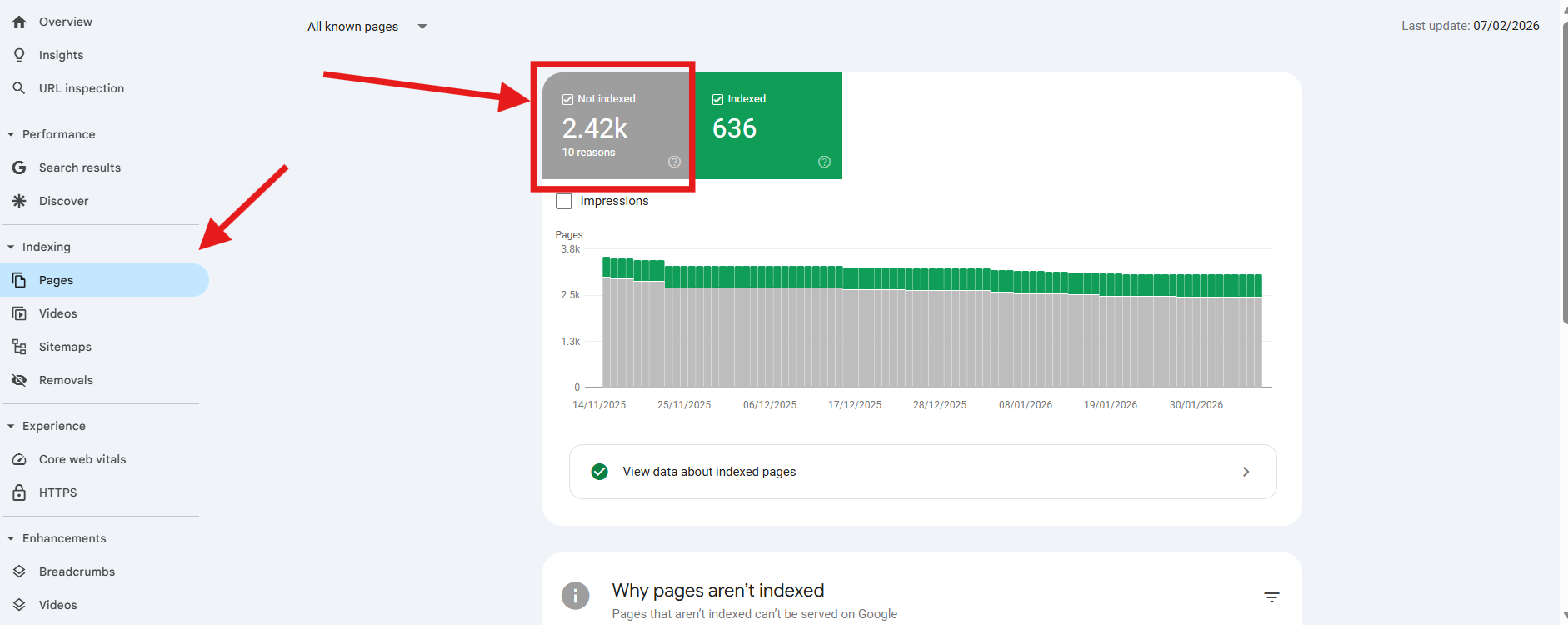
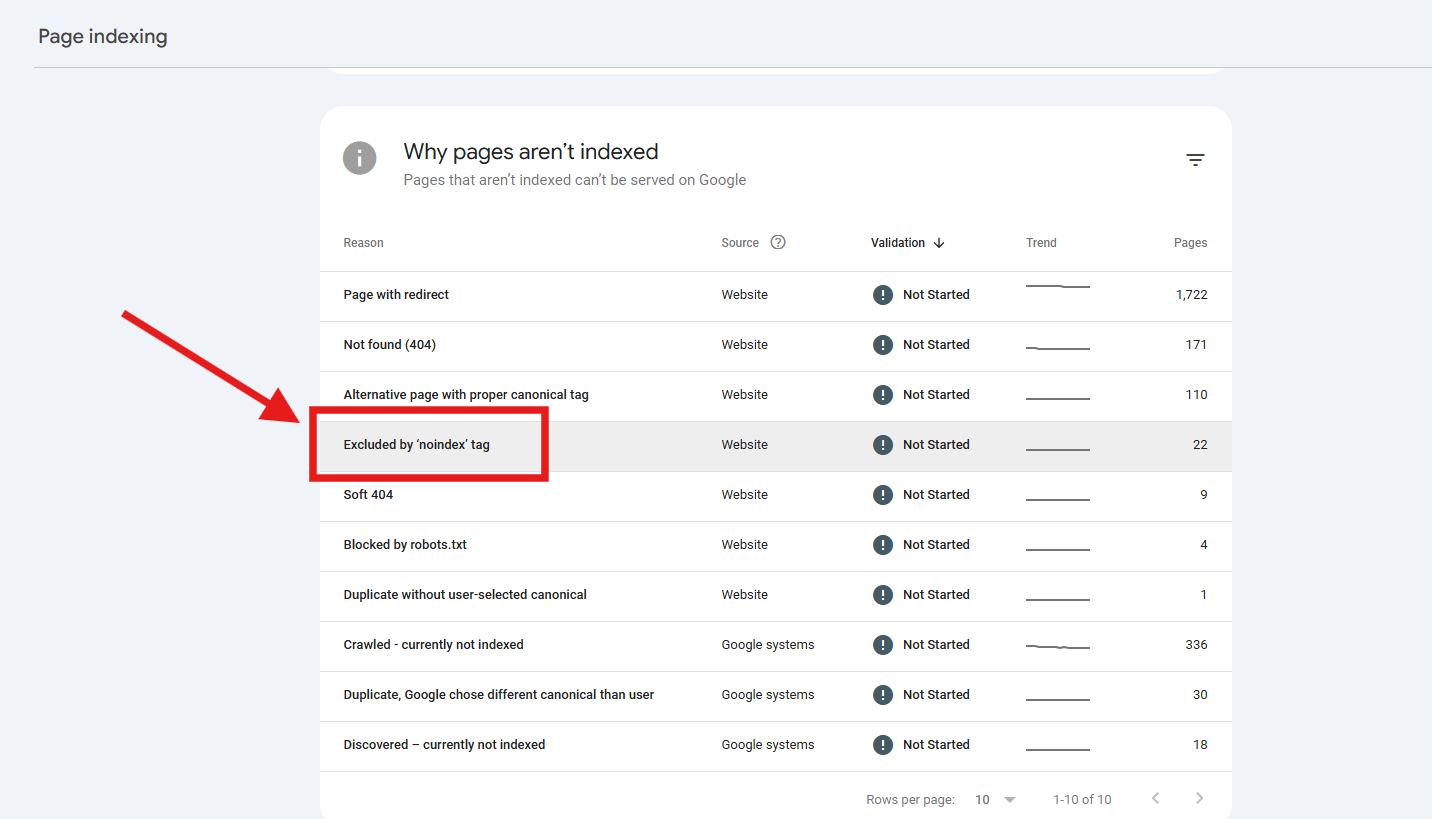
Scroll down to "Why pages aren't indexed" and look for "Excluded by 'noindex' tag".
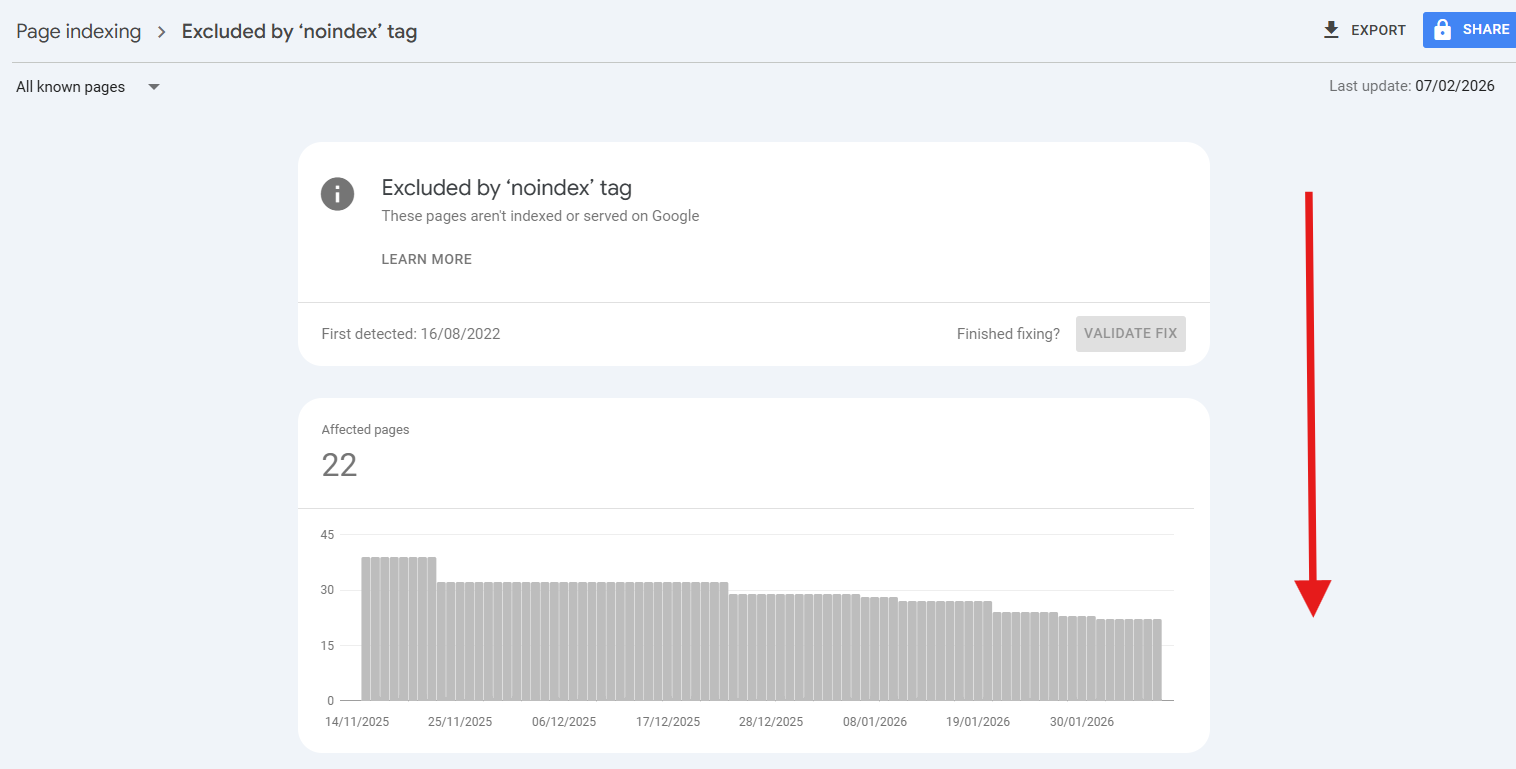
Click on it to see the graph and the specific list of affected URLs.
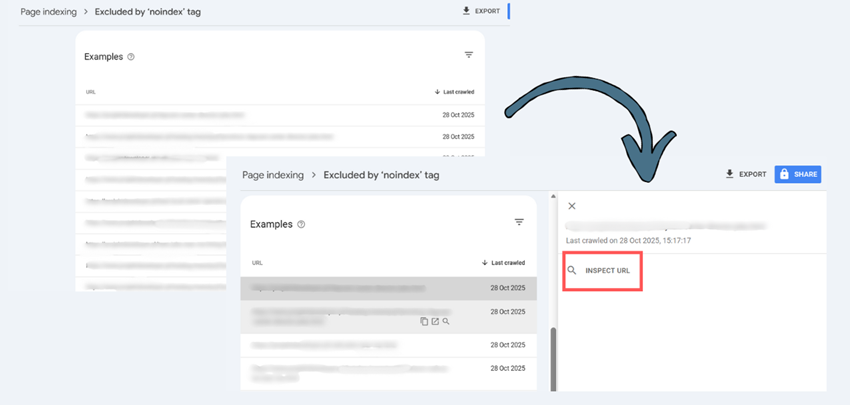
Hover over an example URL and click the magnifying glass icon (Inspect URL) to see exactly when Google found the tag.
Once you remove the tag from your site’s code or CMS settings, go back to this tool and hit REQUEST INDEXING.
4. You gave Google a Bad Map (Sitemap Errors)
Imagine trying to navigate a new city with a map that has missing streets. That is what happens when your XML Sitemap is broken.
Your sitemap is a list of all the pages you want Google to find. If you don't submit one, or if you submit one full of dead links, Google bots will get lost and give up.
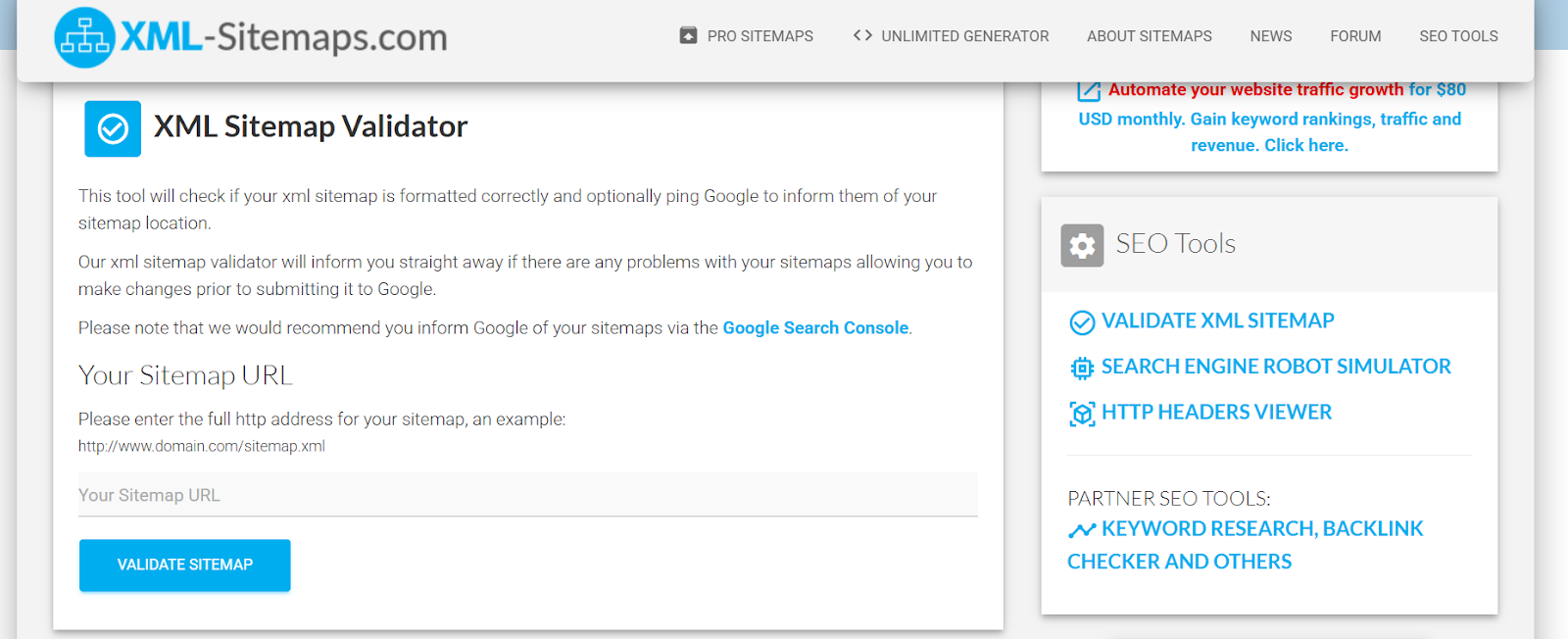
The Fix: Submit a clean, updated sitemap.xml to Google Search Console. Ensure it only contains valid, high-quality pages (no 404 errors or redirected pages). You can also use external tools to validate your file before submitting.
For a masterclass on how to set this up correctly, particularly for large sites, check out The Modern Sitemap in Practice: How to Help Google Discover Your News Portal and More.
5. Your Content is Too "Thin" (Low Quality)
Google’s algorithm is smart. It doesn't want to fill its index with pages that provide zero value.
If you see the status "Crawled - currently not indexed" in Search Console, Google is essentially saying: "I saw your page, I read it, and I decided it wasn't worth showing to people."
The Problem: Thin content, short articles, or text that doesn't answer the user's questions.
The Solution: You need depth. You need authority (E-E-A-T).
Pro Tip: creating high-quality, expert content consistently is hard work. This is where tools like the 4MEDIA AI Assistant shine. It supports editorial teams by generating topic ideas, automating proofreading, and ensuring your content has the depth required to satisfy Google’s standards—faster than ever before.
Curious about how artificial intelligence is reshaping everyday editorial workflows and search itself? Don't miss our detailed breakdown on AI Mode vs SEO: How to Survive and Rank in the Era of Generative Search to see how you can scale quality and adapt to new algorithms.
6. The "Clone Wars" (Duplicate Content)
If you have five pages that are almost identical (e.g., the same t-shirt in 5 different colors with the same description), Google gets confused. It doesn't know which one is the "original," so it might just ignore all of them.
This creates internal competition (Keyword Cannibalization).
The Fix: Use rel="canonical" tags to tell Google which version is the master copy.
If you are investing in external content, this tag becomes even more crucial. Learn how to protect your investment in our guide: The Canonical Tag in Sponsored Content: How to Make Sure Your Links Actually Move the Needle.
7. Your Site is Too Slow (Frustrating Users)
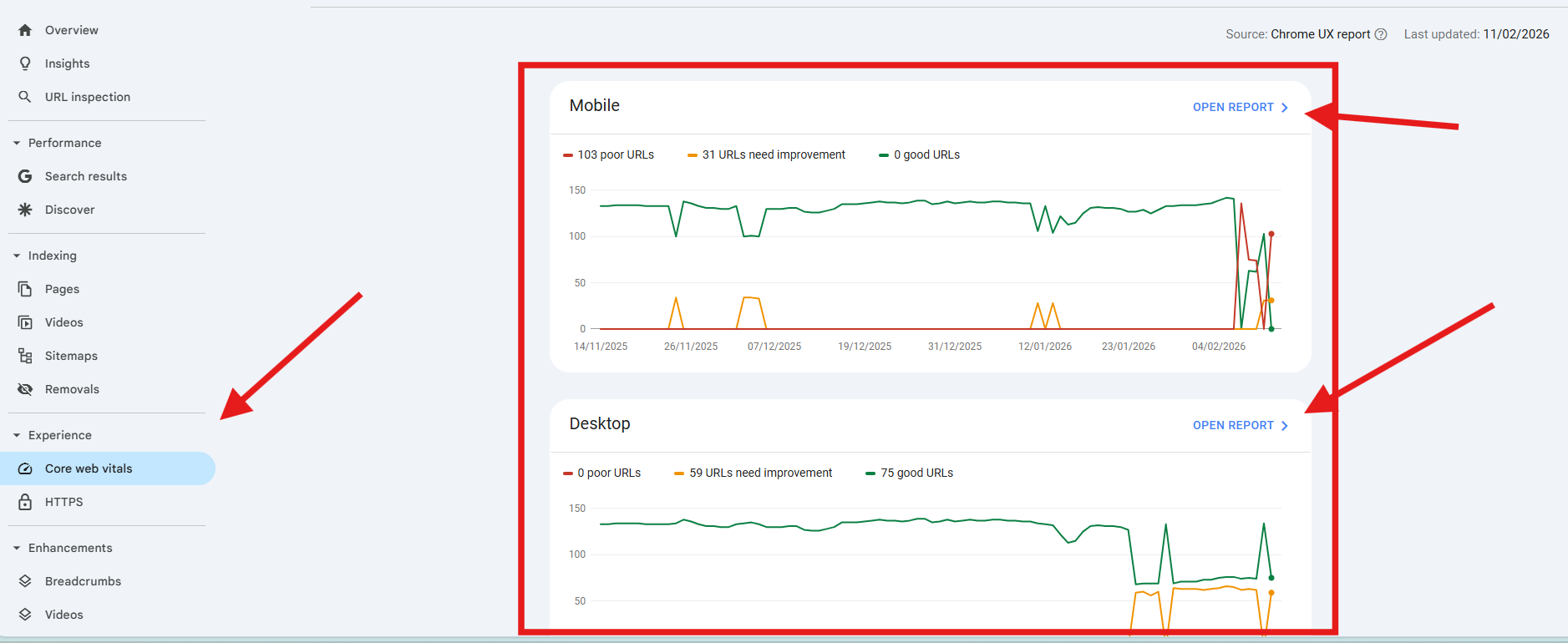
Google cares about User Experience (UX). If your site takes 10 seconds to load, users will bounce back to the search results immediately. Google notices this and will stop showing your site.
The Fix: Check your Core Web Vitals in Google Search Console. Optimize your images and scripts.
The Foundation Matters: Speed often comes down to where your site lives. A slow server is an SEO killer. Platforms like CMS4Media are built specifically for publishers who need speed and stability. With stable hosting and 24/7 support included, you get a system optimized for performance out of the box, removing the technical bottleneck so you can rank higher.
Understanding server response times and frontend optimization is absolutely crucial these days. We highly recommend reading our breakdown on why Speed is the New Currency: Why Your CMS Choice Could Kill Your SEO to squeeze every drop of performance out of your platform.
8. You Have Been Penalized (Security Issues)
In rare cases, you might be in the "penalty box." If your site was hacked (e.g., the Japanese Keyword Hack) or if you used spammy tactics like keyword stuffing, Google might issue a Manual Action.
The Fix: Check the "Security & Manual Actions" tab in Search Console. If you have a red flag there, you need to clean up the site and file a reconsideration request.
9. You Are a Ghost Locally (Local SEO)
If you run a pizza place or a dental clinic and you aren't showing up on the map, you are missing 50% of your traffic.
The Mistake:
- No Google Business Profile.
- Inconsistent NAP data (Name, Address, Phone number are different on Facebook vs. your website).
The Fix: Verify your business profile immediately. It’s free and is often the fastest way to get on Page 1.
10. No One Voted for You (Low Authority)
This is the hardest pill to swallow. Even if your site is technically perfect, you might not rank because you lack Authority.
Google views links from other websites as "votes." If no one links to you, Google assumes you aren't popular or trustworthy.
The Problem: Building links (Link Building) is exhausting. emailing bloggers, negotiating, and tracking links takes forever.
The Solution:
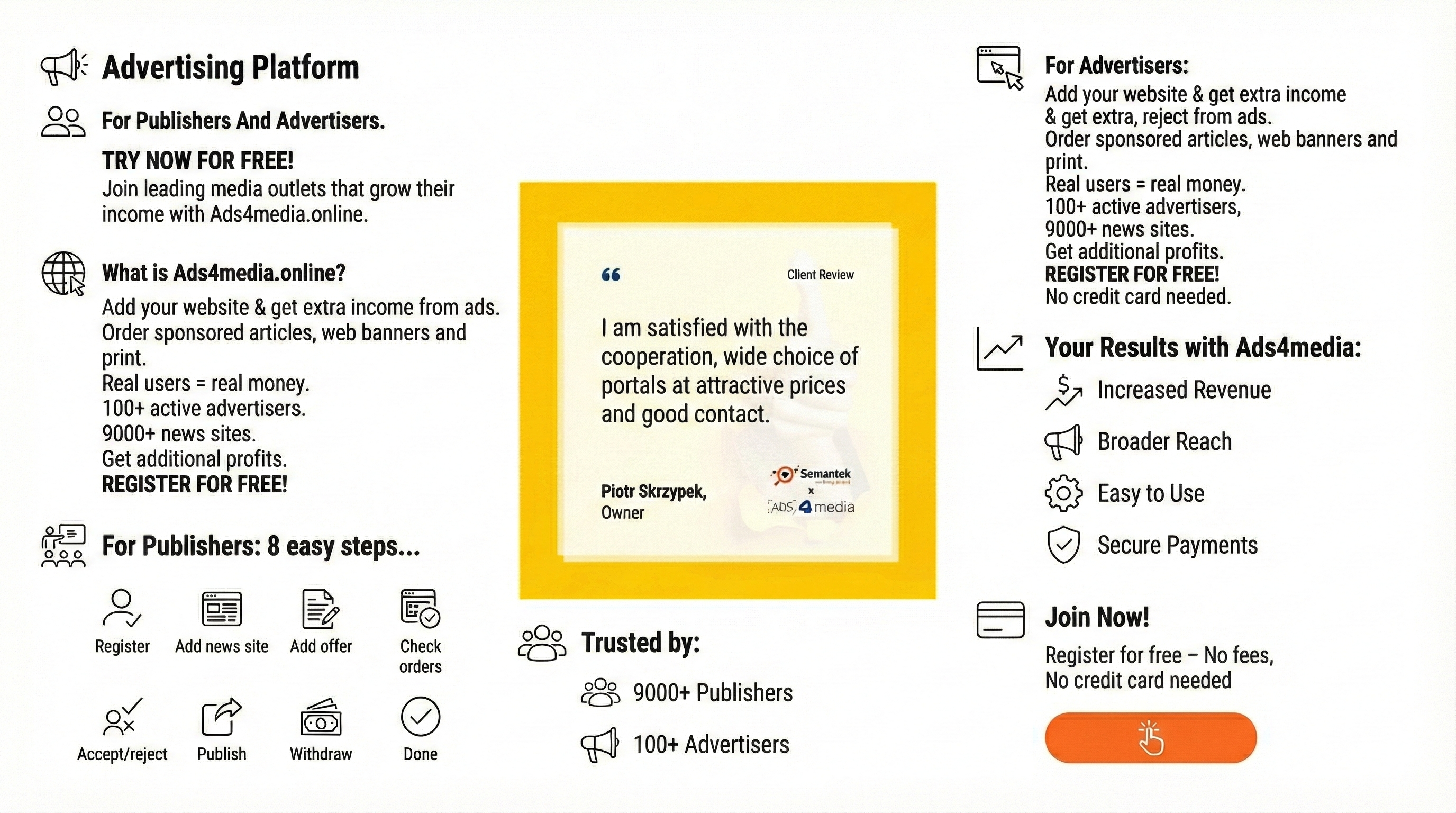
Smart Link Building: You don't have to do it manually. Platforms like ADS4media allow you to publish sponsored articles on over 10,000 local and thematic portals. Instead of begging for links, you can strategically place your content on valuable websites with real traffic. This builds your domain authority quickly and safely, sending a strong signal to Google that your site is trustworthy.
If you want to master the art of acquiring high-authority backlinks and evaluating their true value, take a look at our deep dive into Ahrefs DR & Majestic TF: What Do These SEO Metrics Actually Mean When Buying Sponsored Articles, where we show exactly how to choose placements that drive sustainable organic growth.
Start Recovering Your Visibility Today
Getting seen by Google isn't magic; it's a checklist.
Start with the technical basics (Points 1-4). If those are clear, move to quality and authority (Points 5-10). It takes time, but if you build a fast, secure site with great content and strong backlinks, Google will find you.
And when it does, the customers will follow.